CONCEPT AND IDEA
A simple yet charismatic 3D character that instantly wins sympathy and holds the viewer’s attention.The minimalist design makes animation easier, and careful work with light and materials makes the scene expressive and alive.
The robot is built entirely from primitives, so it’s easy to recolor, change its proportions or add details. The key feature of the scene is a bone-free rig: the whole animation is driven by User Data sliders and XPresso, so poses and motion can be set up in minutes without keying every body part.
MODELING
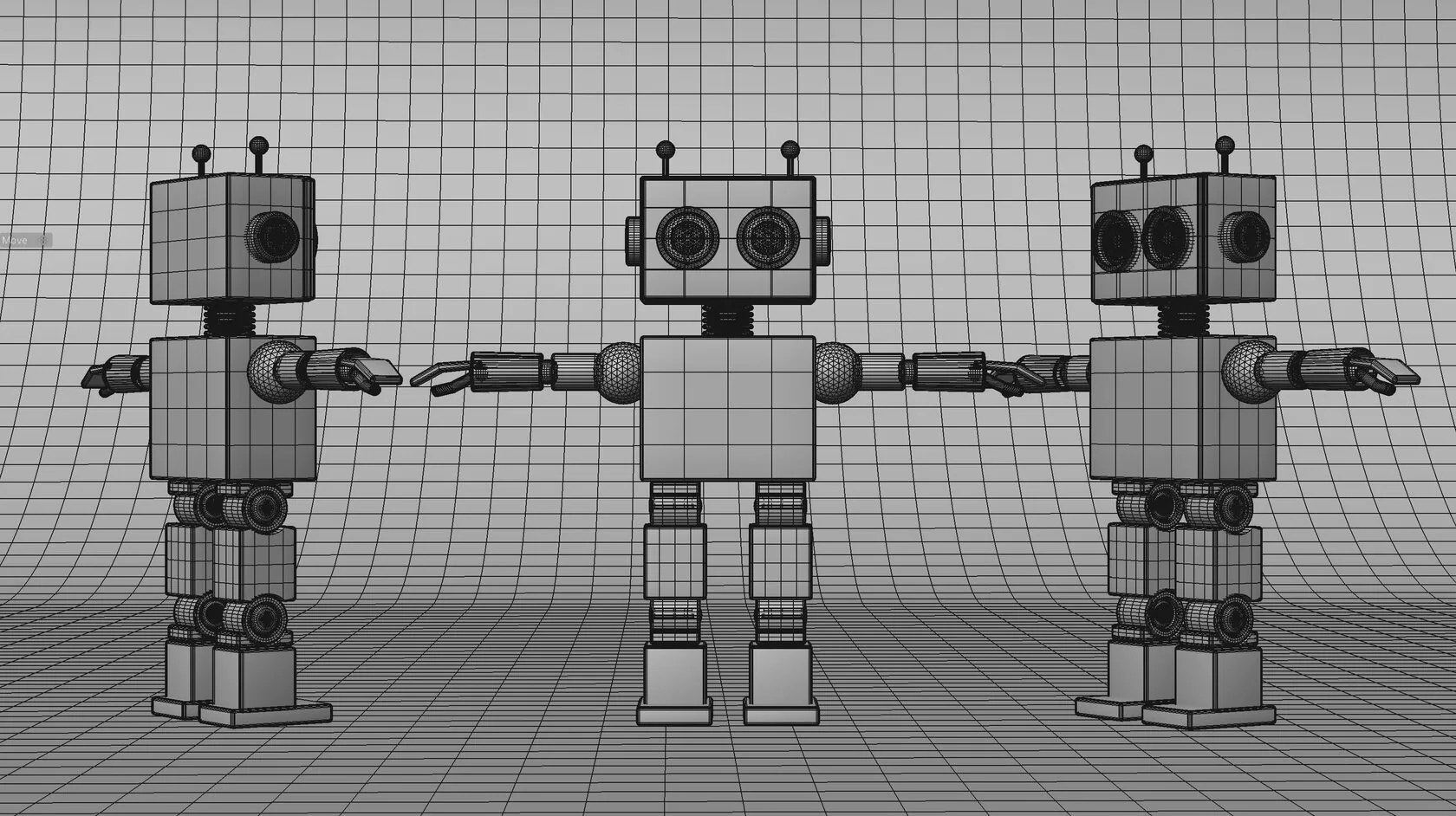
The character is built from standard primitives — Cube, Sphere, Tube, Oil Tank, Cylinder — following simplified human body mechanics, with light polygon editing where needed. Cutouts in some parts are made with Legacy Boole.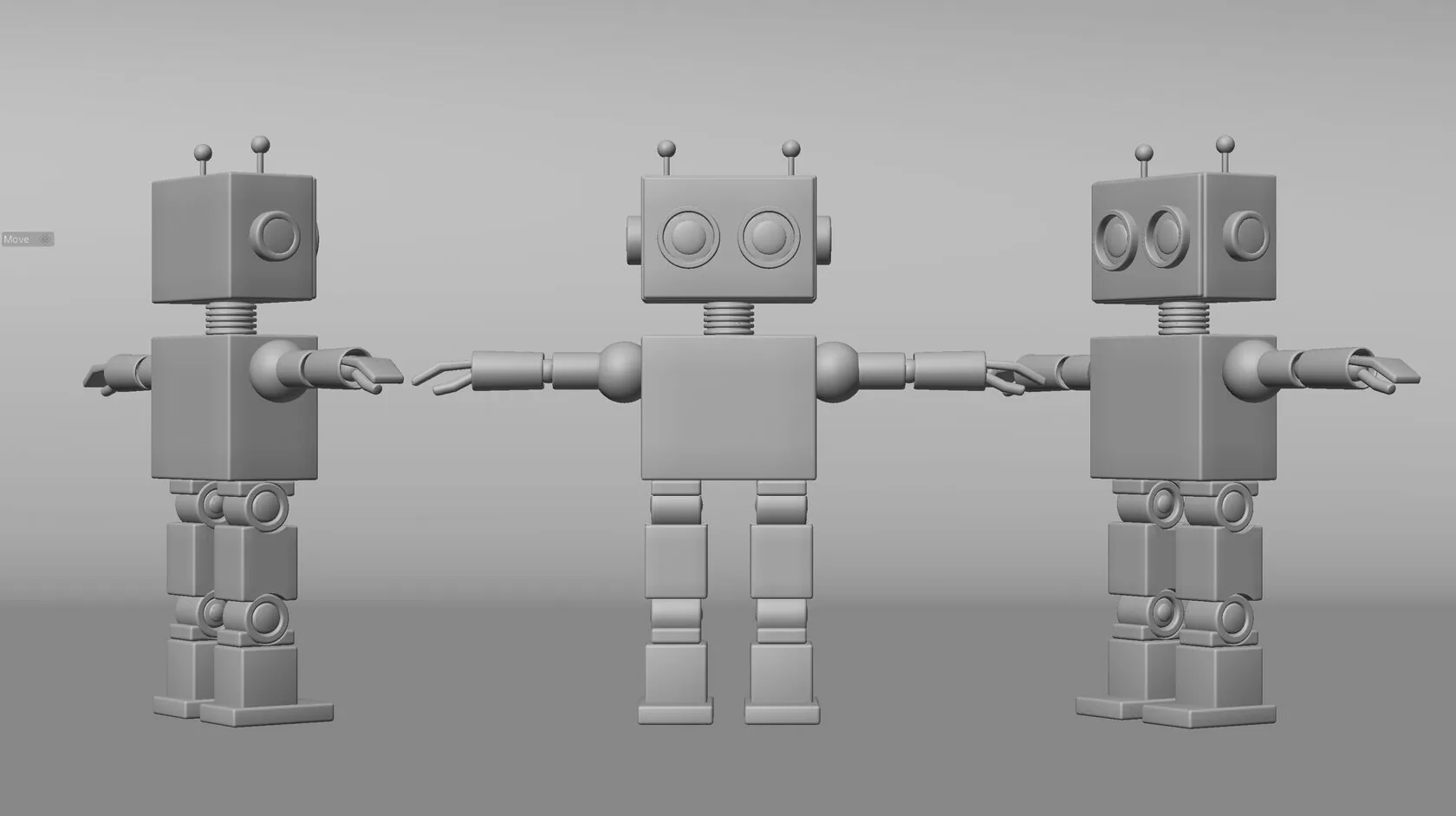
ANIMATION
The character is animated with a hierarchy of nulls. Controller nulls sit at the key points (joints, pivots, the central null), and their coordinates are frozen — without this, correct animation is impossible.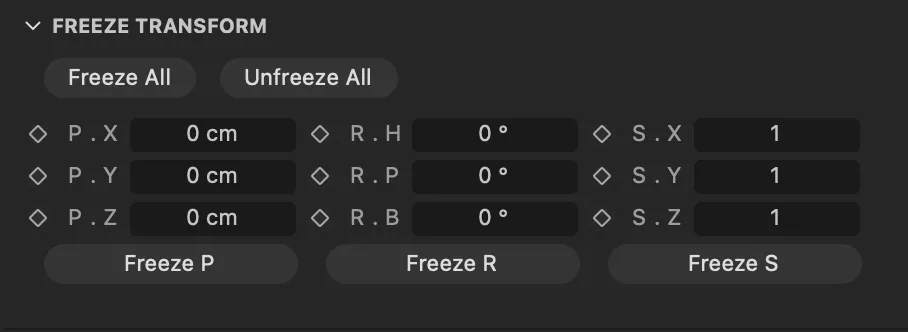
Null hierarchy
The main null is the robot itself; it moves the whole figure. Child nulls come from it:- a neck null with a Bend deformer for tilting;
- inside it, the head null;
- the arms and legs are parented separately, with the elbows and knees inside them.
What User Data is
User Data in Cinema 4D are custom parameters (sliders, checkboxes, switches) that you can add to any object. Essentially it’s a mini interface for the rig: you define your own controls, and through XPresso they drive movements, rotations and any values in the scene.User Data is used for:
- controlling character movement (head tilt, step, arm rotation);
- adjusting materials;
- quick animation (speed, amplitude);
- bone-free rigs;
- switching modes (e.g. effects On/Off).
XPresso
XPresso is a visual node system for linking object parameters and building logic and procedural rigs without coding. It’s literally the “brain” of the scene: you connect the parameters you need with nodes, define the relationship, and the object starts reacting the way you want.How it works together
- Add User Data to the main null.
- Open XPresso.
- Drag the object into it.
- The node gets a User Data tab with your parameters.
- Connect each slider to the coordinates, rotations or values you need.
LIGHTING
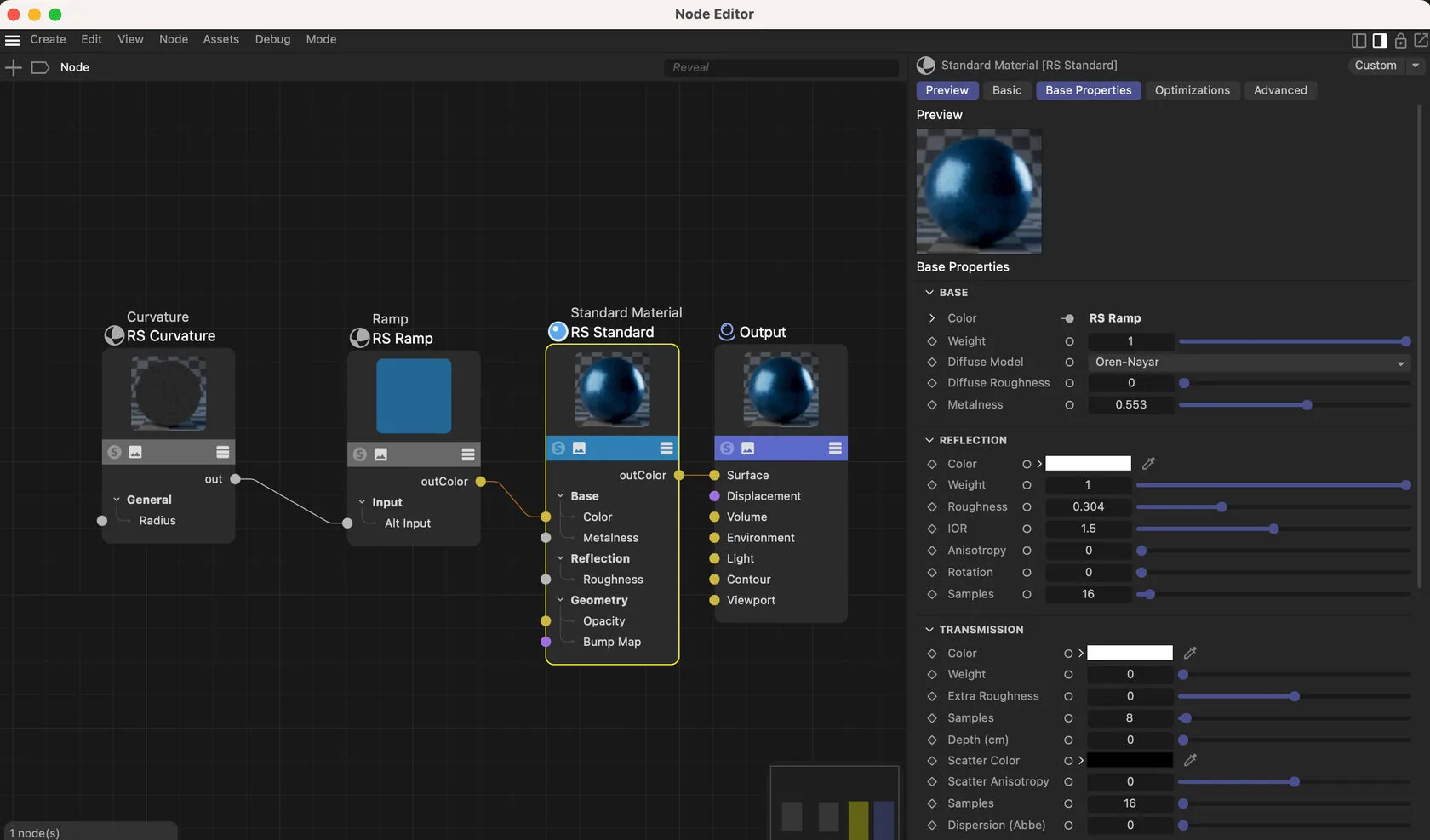
The lighting is built on a Redshift Dome Light with an HDRI map that creates soft global light and natural reflections. An Area Light adds extra light to the background.The materials are as simple as possible: only the robot’s main material has a Curvature node connected to the color through a Ramp node for a subtle accent on the edges.
FINAL RENDER
The final render was done in Redshift with default settings. The resulting image sequence was assembled and processed in After Effects: color correction, contrast work and a slight boost of depth. A Reflection AOV pass was also used to fine-tune the reflections during post-processing.WHERE TO USE THE SCENE
The scene is versatile and fits a range of motion design tasks. The robot is a simple, characterful hero that easily fits into different visual formats.- Motion design projects — intros, animated inserts, presentation videos.
- Video teasers and promos — the robot can present headlines, logos or project categories.
- Social media — Reels, Shorts, Pinterest posts showing the modeling and animation process.
- Tutorials and demos — an example of setting up User Data and XPresso, useful for beginners.
- Presentations and visual explainers — the robot works as a “little hero” that highlights the structure of slides or draws attention to text.